
Create
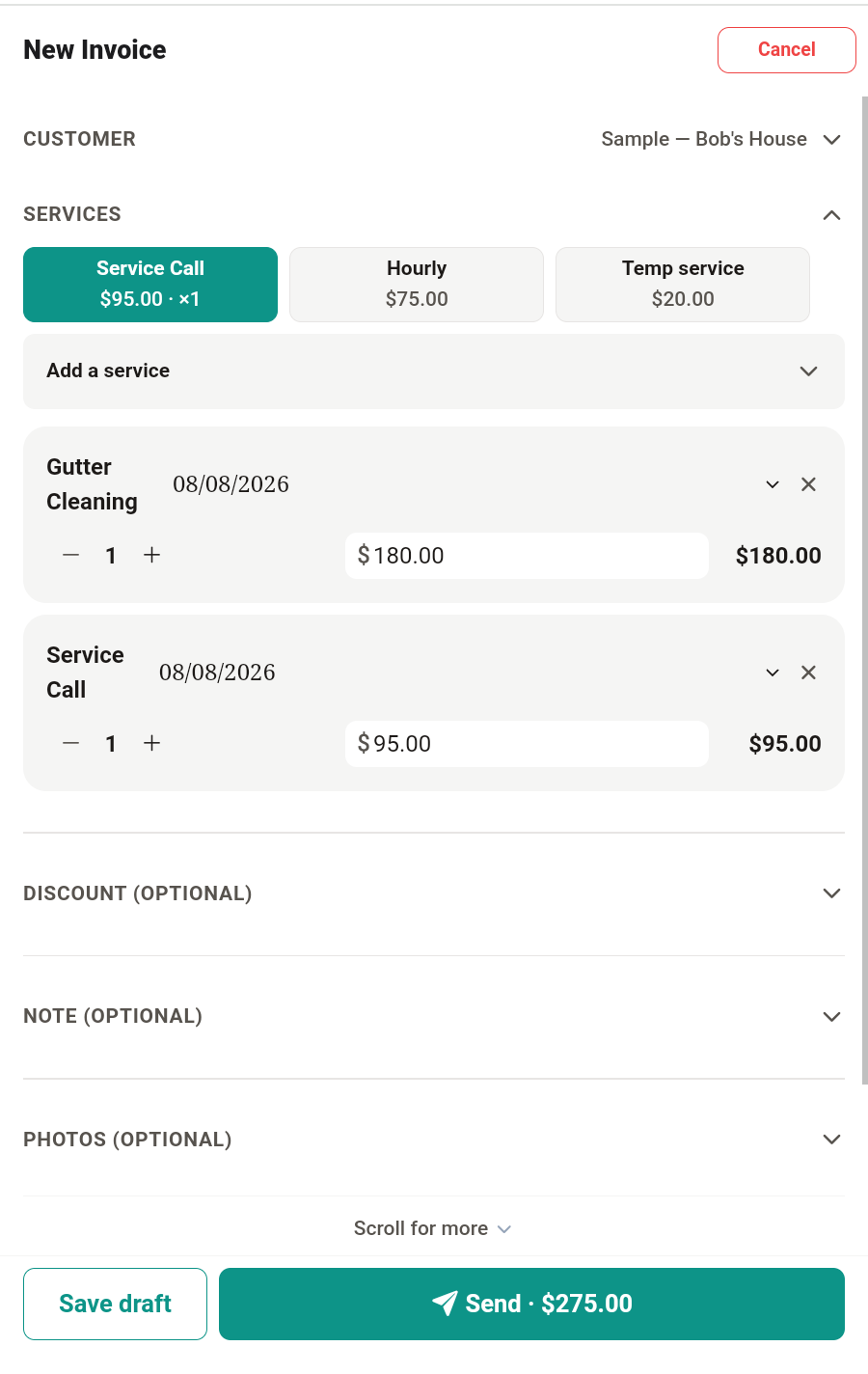
Choose your customer, add the work, and confirm the amount.
INVOICE. TEXT. PAID.
Create a professional estimate or invoice, add job photos, text one payment link, and let your customer pay online — from your phone or the web.
No customer app. No complicated setup. Just a faster way to finish the job.
The workflow
Choose your customer, add the work, and confirm the amount.
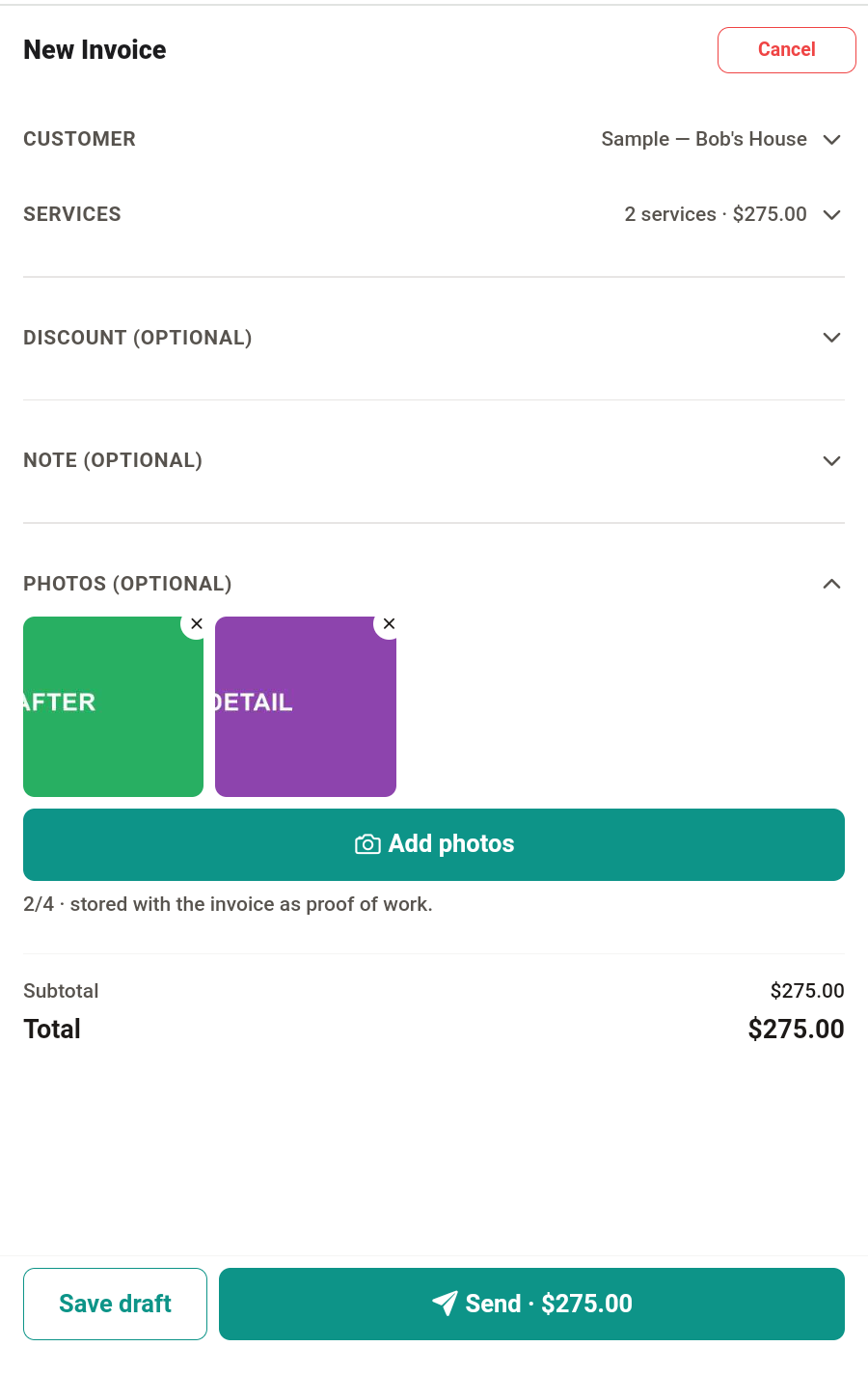
Include notes and job photos so your customer can see what was completed.
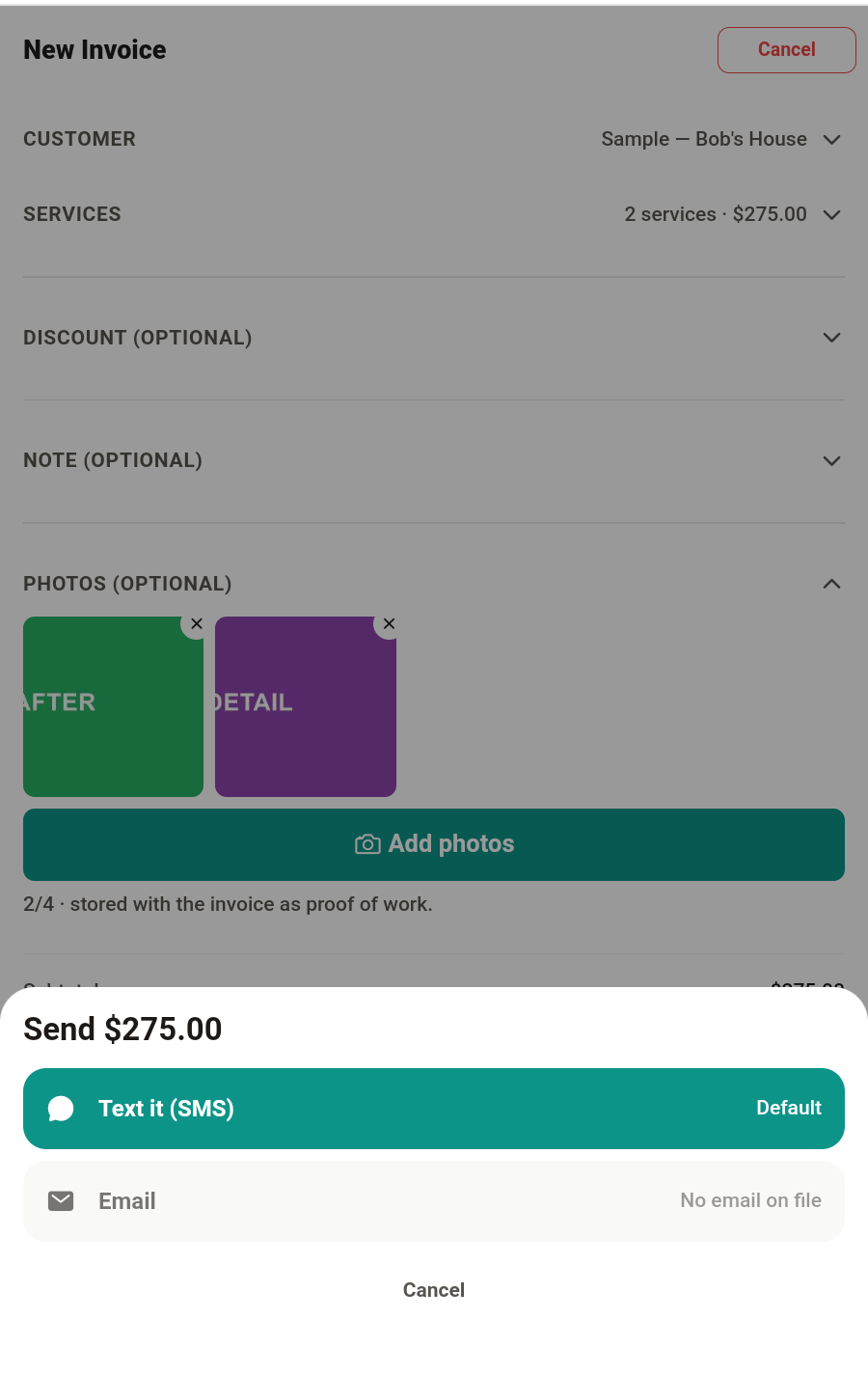
Send one link your customer can open and pay without downloading TabEagle.
What your customer sees
Your customer taps one link and sees a clean page with everything they need — no account, no app download.
Why solo pros use it
Saved customers and services make repeat work faster. Tap a customer, tap a service, done.
Add clear notes and job photos to document the work — proof that answers questions before they are asked.
Share by text or email with one tap. Export a PDF or image when someone wants a copy.
Your customer gets a page where they can review the work and pay online — or see exactly how to pay you directly.
Deliberately simple
If you run crews, trucks, and payroll, bigger platforms exist for that. TabEagle is for the person who does the work, sends the bill, and wants both finished before they drive away.
Payments & trust
You connect Stripe once. Card payments your customers make are processed on your connected account.
They open the link you text or email and pay from their browser. Nothing to download, nothing to sign up for.
Stripe pays out to your bank account directly. Your funds never sit with TabEagle.
TabEagle adds no fee of its own on top of a payment. Standard Stripe processing fees apply.
The invoice page shows its paid state and remains available to your customer as a record.
Pricing
TabEagle is currently free to use — create an account, send invoices, and take payments. Paid plans are still being finalized and will be announced here first.
See it, don't take our word
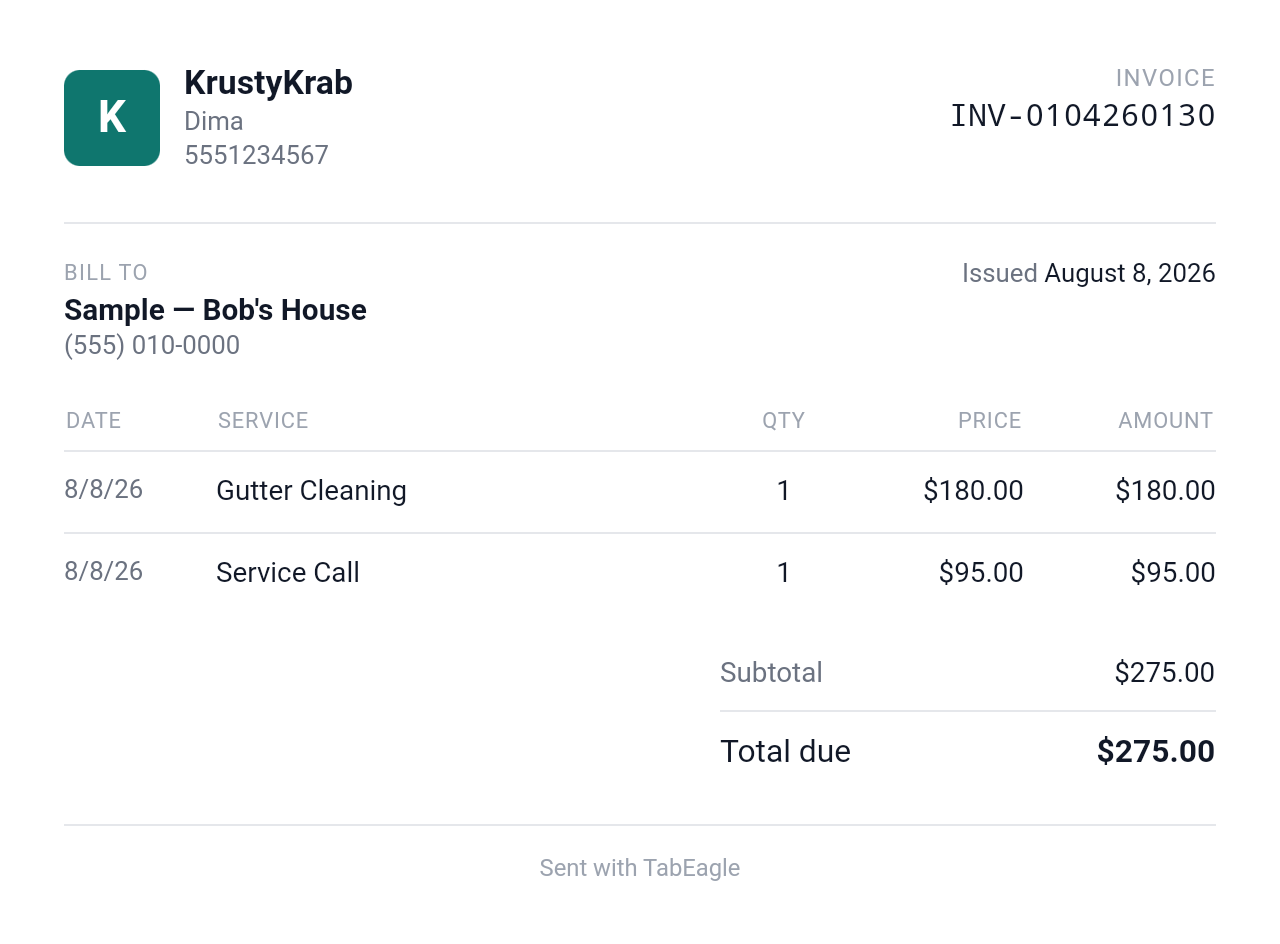
TabEagle is new — so instead of borrowed logos or invented reviews, here is the actual thing your customer receives.
This is the actual image TabEagle generates — a demonstration invoice for a sample customer, never real customer data. It shows the business header, itemized work with dates, and the total due, exactly as your customer receives it.
Questions
No. Your customer opens a normal web page from the link you send and can view the invoice and pay right there. There is nothing for them to download and no account for them to create.
Yes. TabEagle composes a text message with your invoice link in it — you send it from your own number, so the customer sees a text from you, not from a stranger.
Yes. Attach photos of the completed work to the invoice (up to four), and your customer sees them on the invoice page.
Yes. Create an estimate first when a job needs a quote, then convert it to an invoice — it keeps the link between the two, and a deposit can be requested against the estimate.
Yes. TabEagle runs in the browser at app.tabeagle.com with the same account as your phone.
Yes. You can show Zelle, Venmo, or check instructions right on the invoice, record a payment received outside the app, and mark the invoice paid.
Yes. Every invoice can be downloaded as a PDF — by you and by your customer from the invoice page.
You connect your own Stripe account once. Your customer taps the pay button on the invoice page and pays by card through Stripe; the money goes to your connected account, and Stripe pays out to your bank.
No. Card payments are processed on your own connected Stripe account and paid out to your bank by Stripe. TabEagle never holds your funds.
TabEagle is currently free to use while pricing is finalized. Standard Stripe processing fees apply to card payments; TabEagle adds no markup of its own.
There is no subscription to cancel today — TabEagle is currently free. When paid plans arrive, cancelling will stop future billing, as described in the Support, Refund, and Data Deletion Policy.